Hand-Painted Elegance: Your Workflow Ally
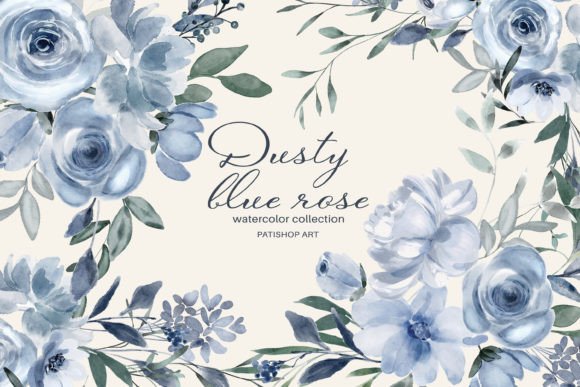
For creators, the hunt for cohesive, high-quality digital assets is often a critical step in a larger process. You might be designing a wedding invitation suite, updating your Etsy shop’s branding, or creating social media content for a spring marketing campaign. The Dusty Blue Rose clipart set enters this workflow as a ready-made solution, a collection of hand-painted floral illustrations designed to be integrated directly into your projects. It’s not just a product; it’s a foundational asset that eliminates the time-consuming task of sourcing or creating consistent artwork from scratch.
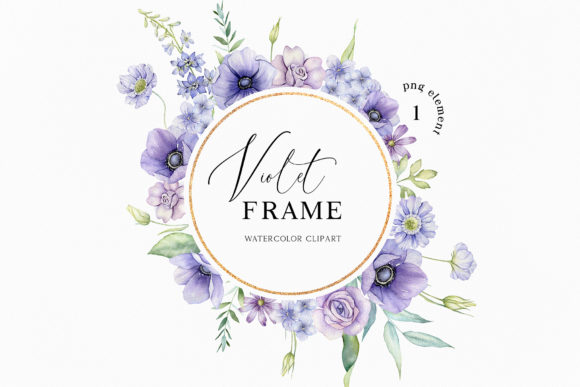
The set’s composition speaks directly to practical needs. With six full floral arrangements, thirty-six individual DIY elements, and four ornate wreaths, it offers both macro and micro utility. The large arrangements, at approximately 3318 to 4433 pixels, serve as instant centerpieces for posters, blog headers, or digital card fronts. The smaller elements, ranging from 503 to 1232 pixels, are the modular components for building your own unique designs—think of adding a single rose to a product label or scattering leaves across a webpage banner. This tiered structure supports different phases of a project: starting with a complete focal point and then customizing with finer details.
Integrating Assets into Your Creative System
The true value of a digital asset set is measured by how seamlessly it integrates into your existing tools and methods. Every file in the Dusty Blue Rose set is provided as a high-resolution 300DPI PNG with a transparent background. This technical specification is a workflow facilitator. The transparency means you can layer these illustrations over any background color or texture in your design software without tedious manual cutting. The 300DPI resolution ensures that even the largest wreath, at up to 4745 pixels, remains crisp for print-on-demand products like greeting cards or art prints, bridging digital design and physical output.
Consider compatibility. These PNG files are native citizens in platforms like Canva, Adobe Photoshop, Illustrator, Procreate, and even presentation software like PowerPoint. They act as interchangeable parts. A blogger might drag one of the wreaths directly into Canva to finalize a newsletter header. A small business owner could open the rose elements in Illustrator to combine them with typography for a new logo. This interoperability reduces friction, allowing you to move the asset from your download folder into your active project file in minutes, not hours.
From Download to Deployment: A Workflow Example
Imagine you are a freelance designer tasked with creating a cohesive brand identity for a boutique tea shop. Your process might look like this: after the initial client mood board (which likely features soft blues and natural themes), you acquire the Dusty Blue Rose set. The preparation phase involves organizing the downloaded files. A simple but effective tip: create a project folder named “Tea Shop Brand Assets” and subfolders for “Arrangements,” “Elements,” and “Wreaths.” This mirrors the set’s own structure and prevents you from wasting time searching later.
During the execution phase, you begin in your primary design tool. You place one of the full floral arrangements as a hero image on the website mockup. For the product packaging design, you don’t use a full arrangement; instead, you deconstruct the workflow. You select individual leaves and roses from the elements folder, arranging them around the typography to create a custom border. This uses the set as a toolkit rather than a preset. For social media posts, you utilize the wreaths as consistent framing elements for weekly promotional graphics. Here, the set ensures visual consistency across all touchpoints, a key factor in professional brand building.
The quality control step is simplified by the asset’s inherent uniformity. Because all illustrations share the same hand-painted watercolor style, color palette, and texture, you are not struggling to harmonize disparate clipart from different sources. This consistency is a form of quality assurance, allowing you to focus on layout and message rather than fixing artistic discrepancies.
Long-Term Utility and Project Planning
A robust asset set should serve beyond a single project. The scope of the Dusty Blue Rose collection—46 unique files—makes it a viable resource for a content calendar or a multi-product line. An educator creating monthly classroom materials or a marketer planning a quarterly campaign can plan around this asset. Knowing you have a library of matching florals allows for forward planning. You can sketch out a series of blog posts or Instagram templates knowing the visual components are already sourced and stylistically aligned.
For long-term use, consider how the assets interact with your own organizational systems. Do you use a digital asset manager? Tagging these files with keywords like “watercolor,” “rose,” “blue,” “floral,” “wreath” will make them searchable months later. This integration into your personal management ecosystem turns the one-time download into a permanent, reusable component in your creative inventory. It enhances efficiency for future tasks where the aesthetic is appropriate, reducing the need for new purchases or searches.
Practical Implementation Across Audiences
The application of this set naturally varies by role. A hobbyist creating custom wedding invitations might use the workflow linearly: select a wreath, place it, add text, and export. Their process is about direct, beautiful implementation. A productivity-minded entrepreneur, however, might employ a more strategic integration. They could use the elements to batch-create a suite of template files in their design software—one for Facebook covers, one for Pinterest pins, one for product listings. This batch creation is a workflow optimization, leveraging the asset set to produce multiple future-ready resources in one focused session.
For publishers or bloggers, the set interacts closely with content calendars and editorial tools. A single arrangement might become the standard header image for a specific category of posts, like “Gardening Tips” or “Lifestyle Inspiration.” The individual elements can be used as accent graphics within the blog post body itself, pulled into the CMS editor to break up text and maintain branding. This turns the clipart into a repeatable visual language for their platform.
Ultimately, the Dusty Blue Rose watercolor clipart set fits into the broader process of visual creation as a quality, time-saving input. It addresses the preparation stage by providing organized, ready-to-use files. It supports the active execution stage through flexibility and technical compatibility. And it aids in the consolidation stage by enabling consistency and offering reusable value for long-term goals. By understanding these interactions with your tools, methods, and plans, you can integrate these hand-painted illustrations smoothly, moving from concept to finished project with a trusted resource already in hand.